Spear Throwing Controls & How to Throw
Map every input - throw, train, shop, and rewards - so timing practice sticks on PC, mobile, and console.
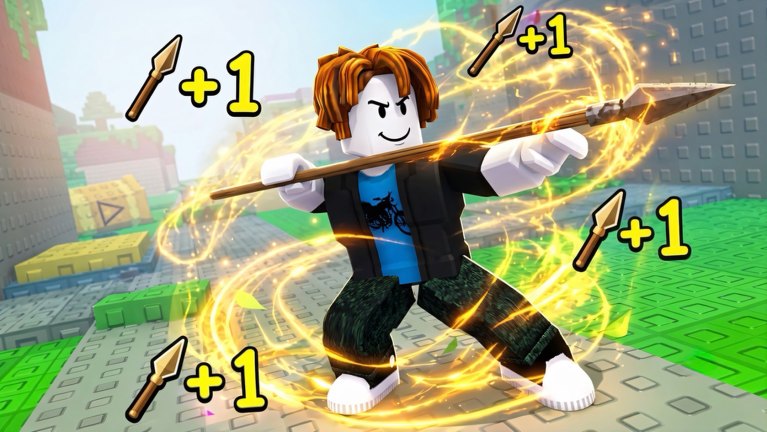
+1 Spear Throwing by Nocsi!!!! looks simple: start a throw, watch a power meter, release near the tip, then train and buy upgrades. New players still lose distance because they watch the spear trail instead of the meter, fat-finger mobile taps, or open the wrong menu mid-set. This controls guide maps inputs and UI habits for place 120309659150421 only - not Spear Training or Cloudbound’s +1 Spear Throw.
Pair this page with Getting Started for the economy loop and Perfect throw for threshold math (Perfect ≈ 0.95+, Thunderbolt ≈ 0.98+).
Universal throw flow (every platform)
- Stand on the throw arena / pad marker so the game accepts a throw.
- Trigger the throw action (click, tap, or button - see platform sections).
- The power meter fills. Keep your eyes on the bar, not the horizon.
- Release at the late tip for Thunderbolt, or a safe late band for Perfect.
- Watch the landing zone for Wins feedback, then either throw again or walk to a training pad.
If the meter never opens, you are off the arena, mid-UI, or in a desynced server - hop instances (max 8 players) and retry.
PC controls mindset
- Use a light click on the throw prompt; avoid holding so long that fatigue makes you late.
- Lock your camera so the meter stays centered in your peripheral vision.
- After shop or codes menus, do five warm-up throws before a serious Wins set - menu exit often breaks rhythm.
- Keyboard movement is fine between throws; freeze movement during the fill so you do not leave the pad early.
PC players have the easiest path to community scripts (Scripts Hub), but learning manual timing first makes Max Power toggles easier to verify.
Mobile controls mindset
- Prefer landscape so the meter has width and your thumb has travel room.
- Rest the device; do not chase the spear with both thumbs while the bar fills.
- Calibrate one release thumb for a whole session - switching hands mid-grind hurts consistency.
- Claim daily rewards and codes before long throw blocks so notifications do not steal focus mid-meter.
- If Auto Throw (gamepass / UI) is on and feels random, turn it off while you practice Perfect / Thunderbolt by hand.
Mobile and console cannot run most executors; this page and Throw meter tips are your main skill ceiling tools.
Console controls mindset
- Bind attention to the on-screen meter, not stick camera flair.
- Minimize right-stick motion during the fill - camera shake causes early releases.
- Use the same Perfect / Thunderbolt targets as PC; thresholds do not change by platform.
- After opening the shop with the controller UI, force a short warm-up set before pushing a new zone belt.
UI map - where systems live
Exact button art changes with [UPD] patches, but the job titles stay stable:
| Goal | Typical UI home | Related guide |
|---|---|---|
| Throw | Arena pad + meter | Perfect throw |
| Train Skill | Training pads / zones | Worlds & zones |
| Buy spears | Spear shop / pedestals | Spears tier list |
| Hatch pets | Egg shop | Pets & eggs |
| Rebirth | Rebirth panel at Max Level | Rebirth |
| Codes | Codes / gift / Settings field | How to redeem |
| Daily / playtime / group | Reward chests / group button | Daily rewards |
If a patch moves the Codes button, re-hunt once, then bookmark the new path mentally - do not skip free rewards for a whole week.
Training pad controls
Training is mostly “walk onto the pad and stay planted.” Jumping, dash tools, or leaving the volume often cancels the Skill drip. Between throw sets:
- Move to the highest unlocked pad.
- Stand still until you are ready to throw again.
- Return to the arena without opening five menus first.
Scripts that Auto Train simply automate this park - see Auto farm if you accept the risk.
Input mistakes that cost Wins
- Watching particle trails instead of the numeric / bar tip
- Releasing at mid-bar forever because it “feels safe”
- Opening shop mid-combo and never warming up afterward
- Playing portrait mobile with a tiny meter
- Confusing this game’s UI with Spear Training shop layouts from YouTube
- Leaving the throw pad while the meter is still filling
Practice routine tied to controls
Use a 10-minute warm-up before spending Wins:
- Five Perfect-only throws (safe late band)
- Ten Thunderbolt attempts (tip only)
- Five throws after opening and closing the spear shop
- One short train on the best pad
- Then buy or hatch with a calm hand
Full drill tables live on Throw meter tips. Early-mid progression after controls feel natural continues on Early game progression.
Accessibility and comfort tips
- Lower camera shake / effects if trails distract you from the meter.
- Take a 30-second break every few dozen throws - fatigue creates late misses.
- On shared devices, lock landscape orientation before joining.
- Favor quieter servers when the bar stutters; full 8-player instances can add input lag.
After you own the inputs
Controls mastery is worthless if Wins buy cosmetics first. Route Skill into spears and pets (Tier List Hub), push worlds and zones, and plan Rebirth at Max Level. Skim Updates when the UI moves after an [UPD].
Master the meter on your platform, keep menus out of throw sets, and treat every mid-bar release as a controls bug - not a shop problem.
Frequently Asked Questions
Quick answers for Skill, Wins, Rebirth, codes, and scripts.
How do I throw in +1 Spear Throwing?
Stand on the arena pad, start the throw, watch the power meter, and release near the tip for Thunderbolt (~0.98+) or a late band for Perfect (~0.95+).
Do controls differ on mobile?
The meter thresholds are the same. Use landscape, keep one thumb calibrated for release, and avoid chasing the spear trail while the bar fills.
Why does my throw cancel?
Leaving the pad, jumping during some train loops, or opening heavy UI mid-meter can cancel. Stay planted until the spear leaves.
Where is the Codes button?
Look for Codes, gift, or Settings text fields. Patches can move it - see How to redeem codes and Daily rewards for claim habits.